
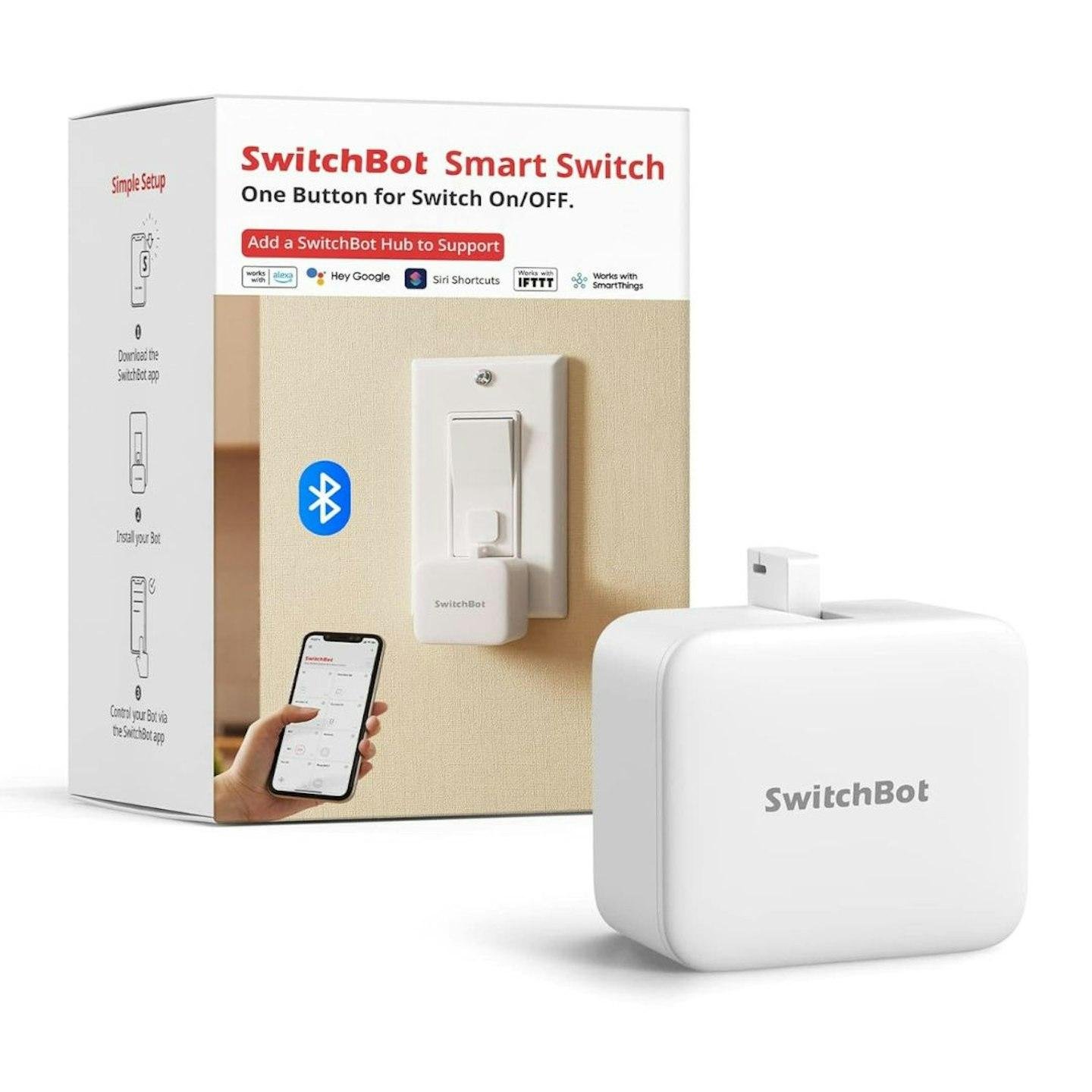
SwitchBot Bot Smart Button Pusher
As an Amazon Associate I earn from qualifying purchases.
Not every useful household appliance needs replacing with a smart version. Sometimes the equipment works perfectly well, but you’d appreciate being able to operate its existing button without walking across the room.
The SwitchBot Bot Smart Button Pusher takes an unusual approach to that problem. Rather than connecting to an appliance’s electronics, this compact device uses a small mechanical arm to physically press a compatible button or operate a suitable switch.
It’s a clever way to introduce basic automation without rewiring. However, the difference between physically pressing a button and genuinely integrating an appliance into a smart-home system is important to understand.
Making Ordinary Switches Smarter
The SwitchBot Bot attaches beside a suitable switch using adhesive tape.
Once installed and configured through the SwitchBot app, its motor moves a small arm to operate the existing control.
That means certain appliances can gain smartphone-operated switching without modifying their internal wiring.
The device measures approximately 43 × 37 × 24 mm, weighs around 42 g and comes in a simple plastic housing.
The white version has a discreet appearance, although the device remains visible beside the switch.
It’s a different approach from the SwitchBot Blind Tilt, which physically rotates the wand of compatible window blinds. Both products add mechanical automation to equipment already in the home.
Two Operating Modes
The Bot supports two principal operating modes.
Press Mode is intended for push buttons and suitable one-way controls. The mechanical arm moves forward to press the button.
Switch Mode is designed for compatible switches that need pushing and pulling. It uses an adhesive add-on attachment to operate the switch in both directions.
The standard package includes the Bot, a CR2 battery, adhesive accessories and instructions.
These modes are useful, but they aren’t interchangeable solutions for every switch design.
What You Should Know Before Buying
The SwitchBot Bot is a particularly good example of why checking compatibility matters more than simply reading a list of supported features.
It Doesn’t Work With Every Switch
The Bot needs a physical control that its mechanical arm can reach and operate.
Traditional push buttons and certain rocker switches may work well, but compatibility depends on their shape, movement and required pressing force.
Capacitive touch panels, inaccessible recessed buttons and unusually stiff switches may not be suitable.
The Bot isn’t a universal solution for every appliance.
Check the intended switch against the manufacturer’s installation guidance before ordering.
There Must Be Space for Installation
The Bot doesn’t replace the existing button. It sits beside it.
That means the surrounding surface must provide sufficient room for the housing and its moving arm.
A switch positioned close to a raised frame, corner or neighbouring control may not leave adequate clearance.
The surface must also allow the adhesive mounting pad to attach securely.
An otherwise compatible button may still be impractical if there isn’t enough space around it.
Adhesive Installation Needs Preparation
The manufacturer recommends installing the Bot on a clean, dry surface.
After attaching it, allow at least 24 hours for the adhesive to develop its hold before operating the device.
Uneven, dusty, damp or unsuitable surfaces could reduce adhesion.
Repeatedly repositioning the Bot may also require replacement adhesive.
Although installation avoids electrical wiring, it still demands careful placement. A poorly positioned unit may miss the button or fail to press it reliably.
Bluetooth Control Has Range Limitations
The standalone Bot communicates through Bluetooth.
This allows nearby smartphone control without purchasing a separate hub.
However, Bluetooth range varies according to walls, furniture, interference and the layout of the building.
SwitchBot advertises a maximum range under ideal open conditions, but that shouldn’t be interpreted as guaranteed coverage throughout a house.
An installation on a different floor or behind substantial walls may be less reliable.
Remote and Voice Control Need More Equipment
This is one of the most important purchasing details.
The standalone Bot does not provide independent Wi-Fi connectivity.
For supported remote operation outside normal Bluetooth range, a compatible SwitchBot Hub is required.
Voice-assistant and certain connected-home integrations also depend on appropriate hub hardware, compatible services and configuration.
That hub is a separate product.
Anyone expecting full voice control immediately after opening the Bot package could therefore face an additional purchase.
For comparison, our Meross MSG200 Smart Garage Door Controller explores a different approach to adding connected functionality to existing equipment.
It Doesn’t Confirm the Appliance’s Actual Status
When the Bot operates, it sends a mechanical press or pull action.
It doesn’t automatically know whether the connected appliance turned on successfully.
For example, pressing a button doesn’t guarantee that a coffee machine has water, that a device responded correctly or that an appliance completed its intended operation.
Some buttons also toggle between on and off, making their resulting state dependent on the previous setting.
This is an important limitation when planning automation routines.
Don’t treat the Bot as a reliable appliance-status sensor.
Battery Replacement Is Necessary
The standard Bot uses one replaceable CR2 battery.
SwitchBot advertises approximately 600 days of battery life under specified laboratory conditions, including operation twice daily.
Actual battery life depends on usage frequency, operating conditions and the effort required to move the switch.
Replacement batteries are an ongoing ownership consideration.
The ordinary CR2-powered Bot should also not be confused with newer rechargeable versions.
Check the exact product variation before expecting USB charging or rechargeable-battery functionality.
Mechanical Force Is Limited
The Bot contains a small motor designed for ordinary compatible switch operation.
It isn’t intended to force damaged, jammed or heavy mechanical controls.
If a button requires substantial pressure, the Bot may struggle to activate it consistently.
Likewise, it shouldn’t be used to overcome a switch that is difficult to operate manually.
Choose a suitable switch rather than assuming the motor can handle anything.
It Doesn’t Make an Unsafe Appliance Safe
Automating a physical button introduces another important responsibility.
Some equipment must never be operated unattended, particularly where heat, moving components or other hazards are involved.
The Bot doesn’t monitor whether an appliance is safe to start, whether an area is clear or whether something has gone wrong.
It should never be used to bypass safety interlocks, emergency-stop controls or manufacturer operating instructions.
Only automate appliances that are suitable for unattended or remote operation under their own safety guidance.
One Bot Operates One Control Point
The standard package contains one Bot.
If several separate buttons need operating, additional devices may be required.
The Bot doesn’t provide a row of independently controlled mechanical arms.
It also cannot navigate between different buttons on an appliance.
This matters when considering equipment with multiple controls or complicated operating sequences.
The Moving Arm Remains Visible
Although the housing is small, the Bot isn’t hidden inside the switch.
The adhesive-mounted unit and moving arm remain part of the installation.
For homeowners who prefer completely concealed technology, this may be less attractive than a properly installed integrated smart switch.
However, integrated solutions may involve different wiring and installation requirements.
Who Should Probably Avoid This Product?
The SwitchBot Bot won’t suit everyone.
Buyers with touch-sensitive controls, awkward switch shapes or insufficient mounting space should investigate compatibility carefully.
Those wanting direct Wi-Fi operation without buying a hub may prefer another solution.
It also isn’t suitable for applications where verified appliance status, precise feedback or safety-critical operation is essential.
People who dislike visible attachments beside existing switches may prefer integrated hardware.
And anyone hoping to automate several separate controls using a single Bot should understand its physical limitations.
Who Will Benefit Most?
The SwitchBot Bot is especially interesting for people who have suitable appliances they don’t want to replace.
It may appeal to renters who prefer avoiding electrical modifications, or homeowners wanting to experiment with simple automation.
People already using SwitchBot equipment may appreciate adding another compatible device to their routines.
It also demonstrates how smart-home products can serve different purposes. Our SwitchBot Curtain 3 Smart Curtain Opener explores another mechanical approach to automating an existing household feature.
For more practical connected-home ideas, explore our Smart Home & Security guides.
A Clever Solution When Compatibility Is Right
The SwitchBot Bot succeeds by doing something refreshingly straightforward: physically operating an existing switch.
Its compact design, Bluetooth control and two operating modes make it an interesting option for adding convenience to suitable household equipment without rewiring.
The limitations are equally important. Switch compatibility, mounting space, Bluetooth range, battery replacement and the separate hub requirement all deserve consideration.
For a suitable switch and a realistic use case, the Bot offers a thoughtful way to add a little automation to equipment that’s already doing its job.
As an Amazon Associate I earn from qualifying purchases.
Opens Amazon (paid link)